$ stat ./projects/media2ascii.md
File: "media2ascii"
Size: 742 words
pixels -> 7-bit art
Modern media pipelines are built around preserving as much visual information as possible: higher resolutions, higher bit depths, better compression. This project goes in the opposite direction. The goal was to take arbitrary media (images and video) and reduce it to a representation that could be displayed in a terminal, while still preserving enough structure that the original content remains recognizable.
why build media2ascii?
ASCII art has a certain "brutalist" honesty to it. In an age of 4K Dolby Vision, there's something fascinating about trying to represent complex motion using only the characters available on a 1970s teletype.
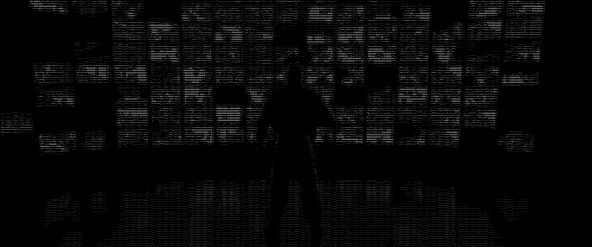
And I would say that it was totally worth it. media2ascii was used to create all the ASCII animations scattered throughout the website (on desktop, sorry mobile users), and I think the results speak for themselves.
The motivation was:
- Build a pipeline that handles both static images and full-motion video.
- Automate the "boring" parts like frame extraction and crop detection using FFmpeg.
- Create a rendering engine that could stitch these ASCII frames back into a modern, shareable format (like WebM) using custom terminal fonts.
The stack is fairly lean:
- FFmpeg for the heavy lifting of video decoding and frame manipulation.
- jp2a for the actual pixel-to-character conversion.
- Pillow for the terminal-style rendering of text back into images.
- Python to glue it all together.
the math
The core of the project is luminance mapping. We need to take a color pixel and map it to a single character that represents its "brightness."
First, we calculate the luminance using the standard ITU-R BT.601 formula:
Once we have , we map it to a discrete index in a character set. Our default set is sorted by visual density: .:-;!+*&%@#.
If we have characters in our set, the character index is:
At a glance, this looks like a straightforward quantization step.
But the key detail is that the character set is not arbitrary.
Each symbol occupies a different amount of visual space, . contributes almost no intensity, while # or @ fill a large portion of the cell. Once ordered correctly, the character set behaves like a discrete intensity scale.
In practice, this means the pipeline is not “drawing characters,” but approximating luminance using a fixed, non-uniform basis. That interpretation makes it much easier to reason about why the output preserves edges and contrast despite the extreme reduction in information.
spatial considerations
A direct pixel-to-character mapping introduces geometric distortion.
Square pixels, are well square, but most monospace fonts are not; their height typically exceeds their width. Without correction, the output appears vertically stretched. The faces will become squished, circles become ovals, the motion feels off. To compensate, the input is rescaled horizontally before conversion:
Fixing this is simple, but the effect is huge. It drastically improves the fidelity of the shapes and proportions in the output.
implementation
Turning this logic into a usable tool required two distinct phases. First, the extraction and conversion phase:
# media2ascii.py snippet
def convert_frame(img_path, width, chars):
    # Call jp2a with specified width and character set
    cmd = ["jp2a", f"--width={width}", f"--chars={chars}", img_path]
    result = subprocess.run(cmd, capture_output=True, text=True)
    return result.stdout
And second, the "re-rendering" phase. Since we want to share these animations, we can't just expect everyone to have a terminal open. We render the ASCII text back into image frames using a specific monospace font and stitch them into a WebM.
# ascii2webm.py snippet
def render_ascii_to_frame(ascii_text, font, canvas_size):
    # Create black canvas
    img = Image.new("RGB", canvas_size, color="black")
    d = ImageDraw.Draw(img)
    # Draw white text
    d.text((20, 20), ascii_text, font=font, fill="white")
    return img
The pipeline extracts frames at a fixed FPS, converts each to an ASCII string, renders those strings into PNGs with HackTerminal.ttf, and then pipes the whole sequence back into FFmpeg for VP9 encoding.
terminal results
The result is a highly compressed, stylistically "crusty" version of the original media that looks like it belongs on a CRT monitor from 1984.
~
<EOF>